


Discover the books
recommended for you.
Bibliobooks™ transforms the library catalog into a modern, visual, and accessible experience, boosting collection discovery and inviting users to touch, explore, and above all, read
Compatible with Koha ILS, Primo (ex Libris), etc.

"If the Library is the heart of the University, special book collections are the heart of the Library."
New modes
One software, three experiences
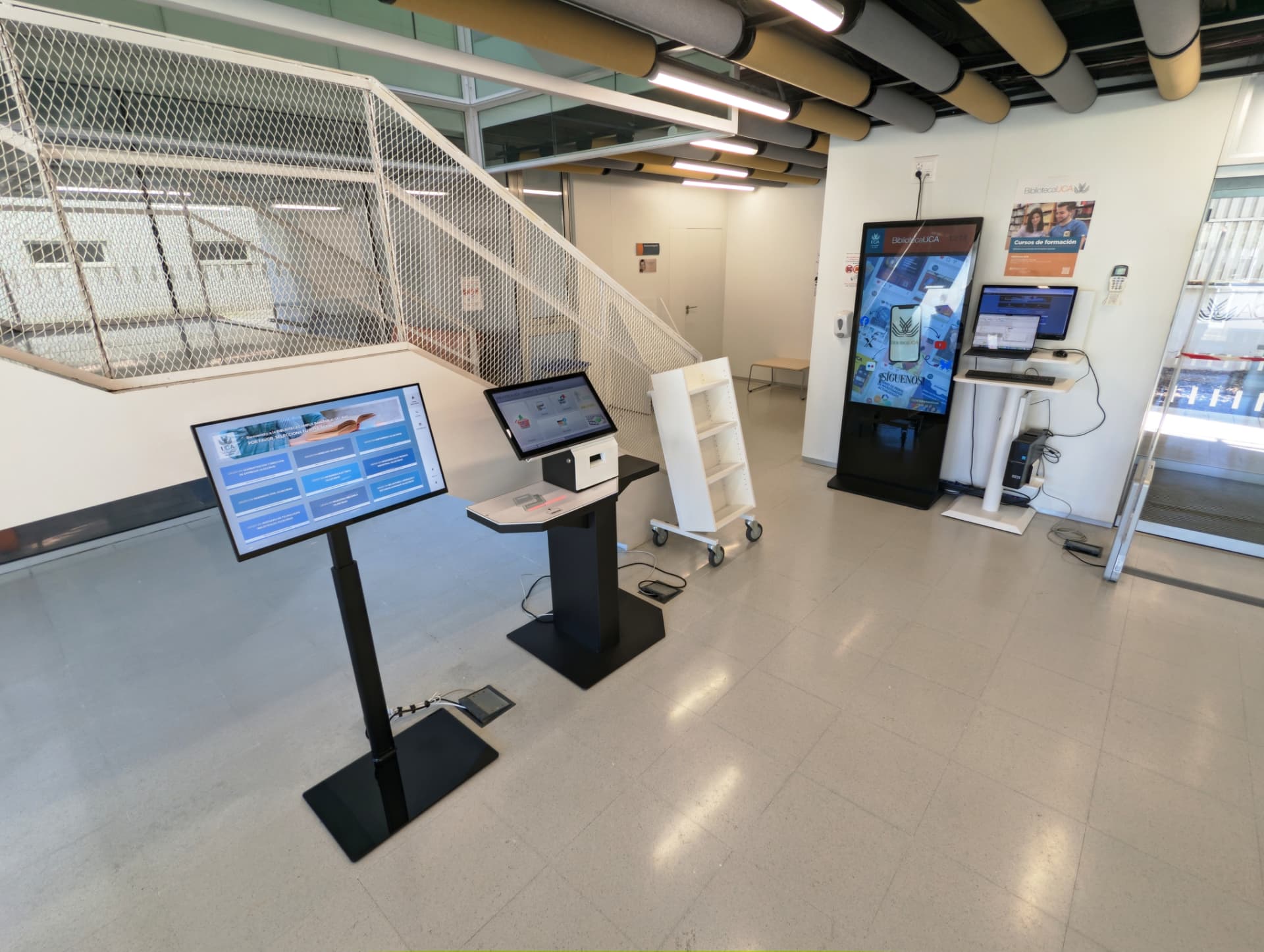
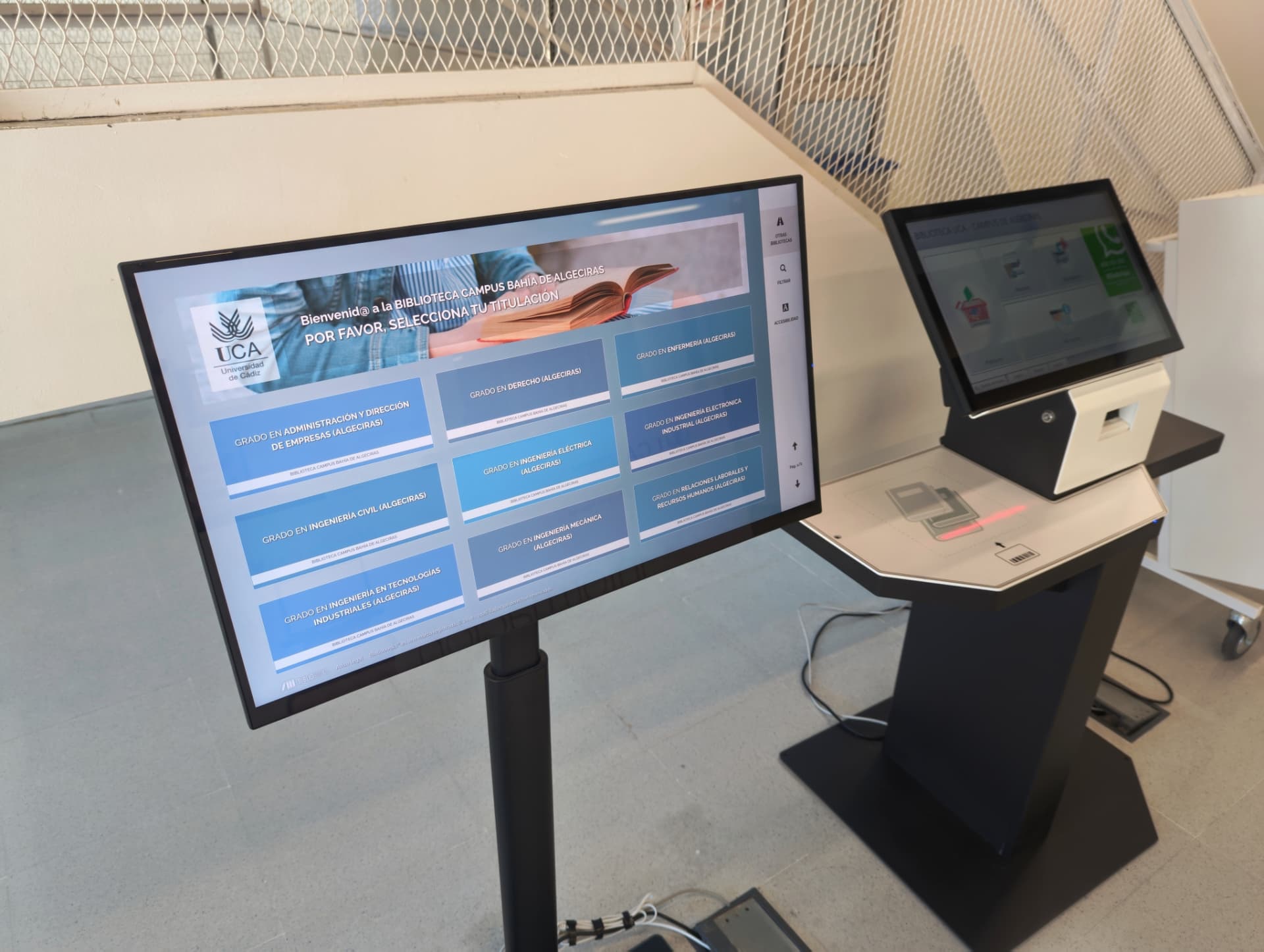
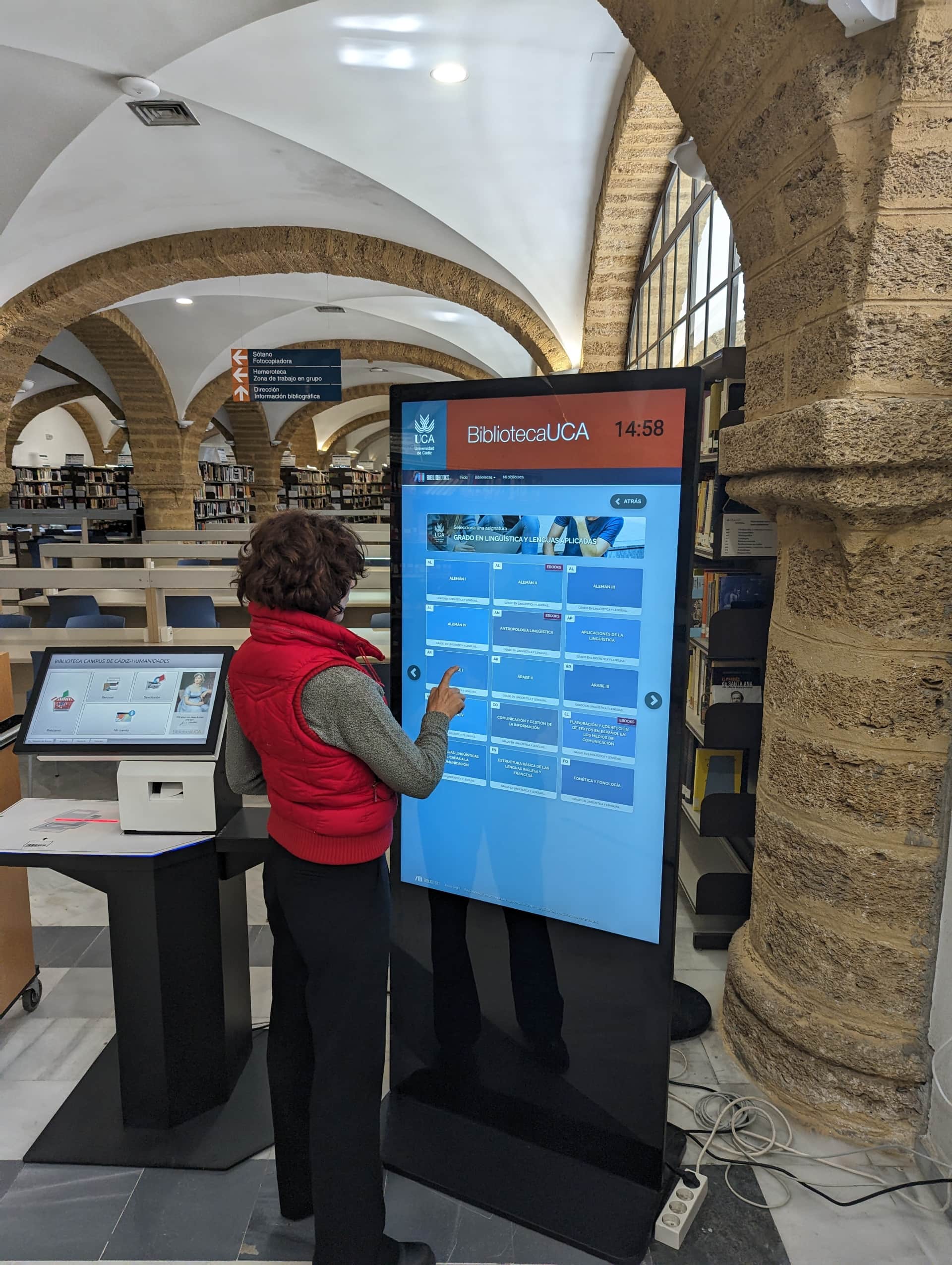
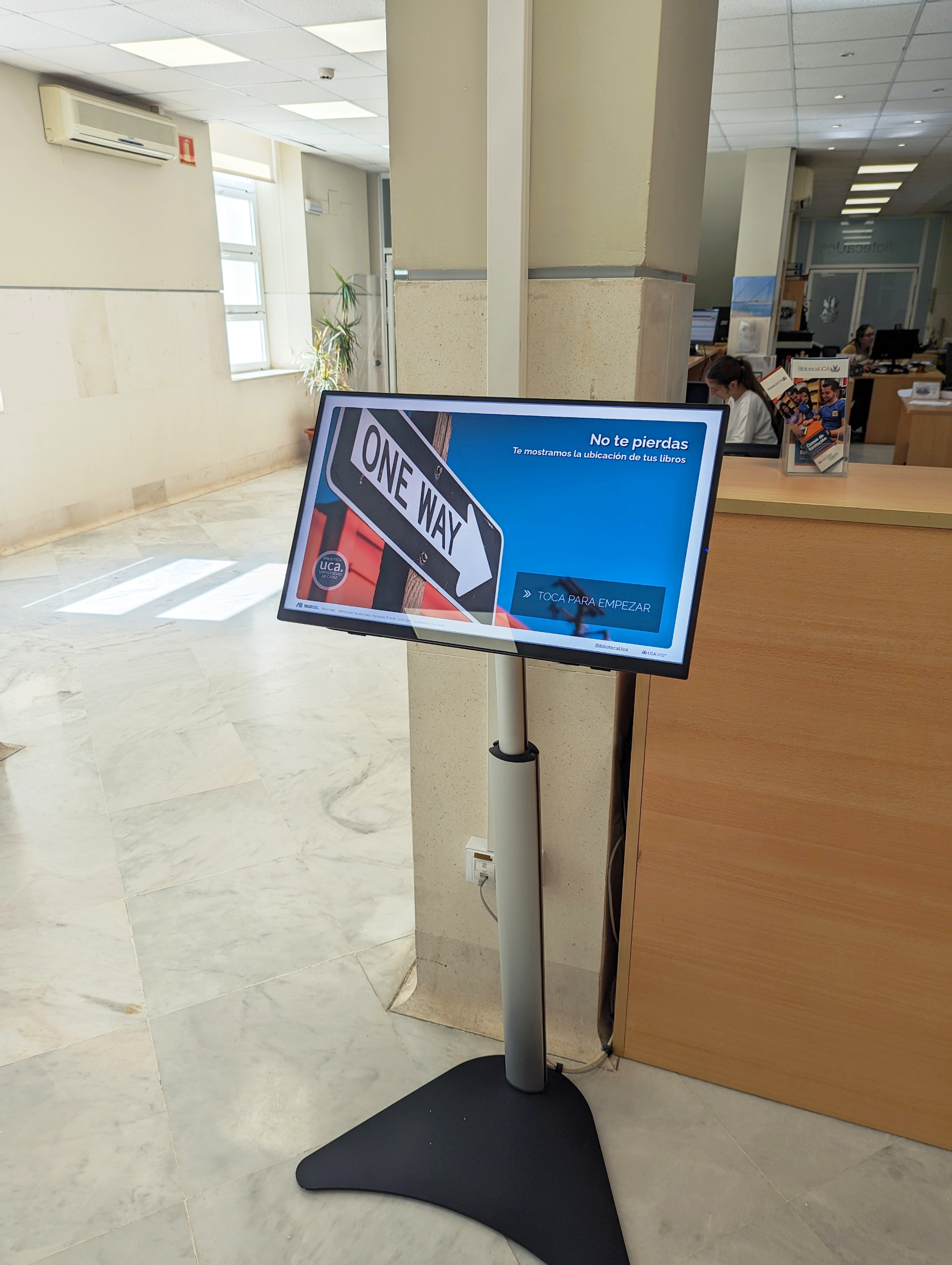
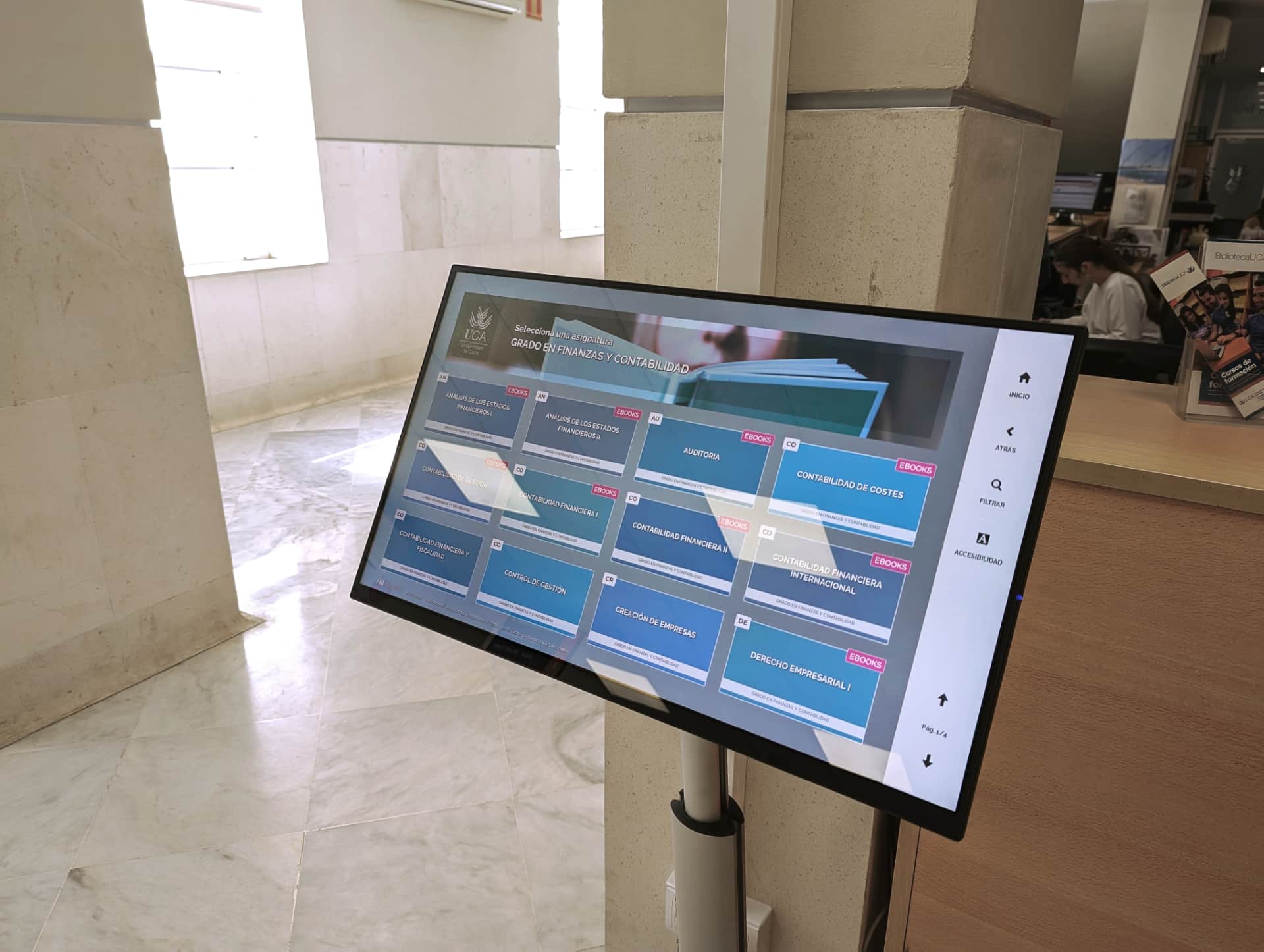
Kiosk mode
A touch panel strategically placed to attract visitors’ attention, allowing them to interact and discover bibliographic collections visually.
New!
Web mode
Bibliobooks™, without limits. Available on any device: desktop, tablets, mobile..., both inside the library and from home. No additional hardware required.
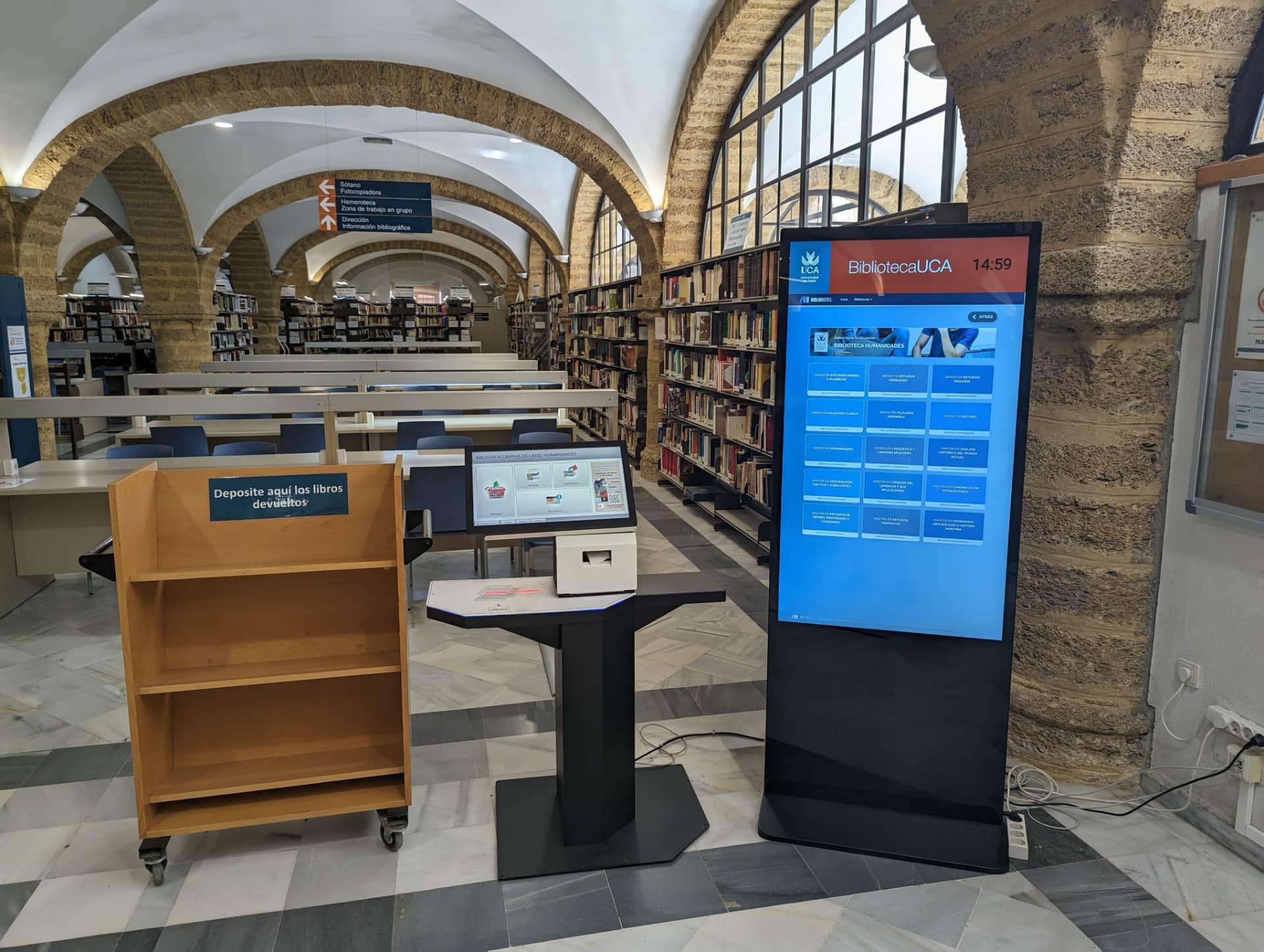
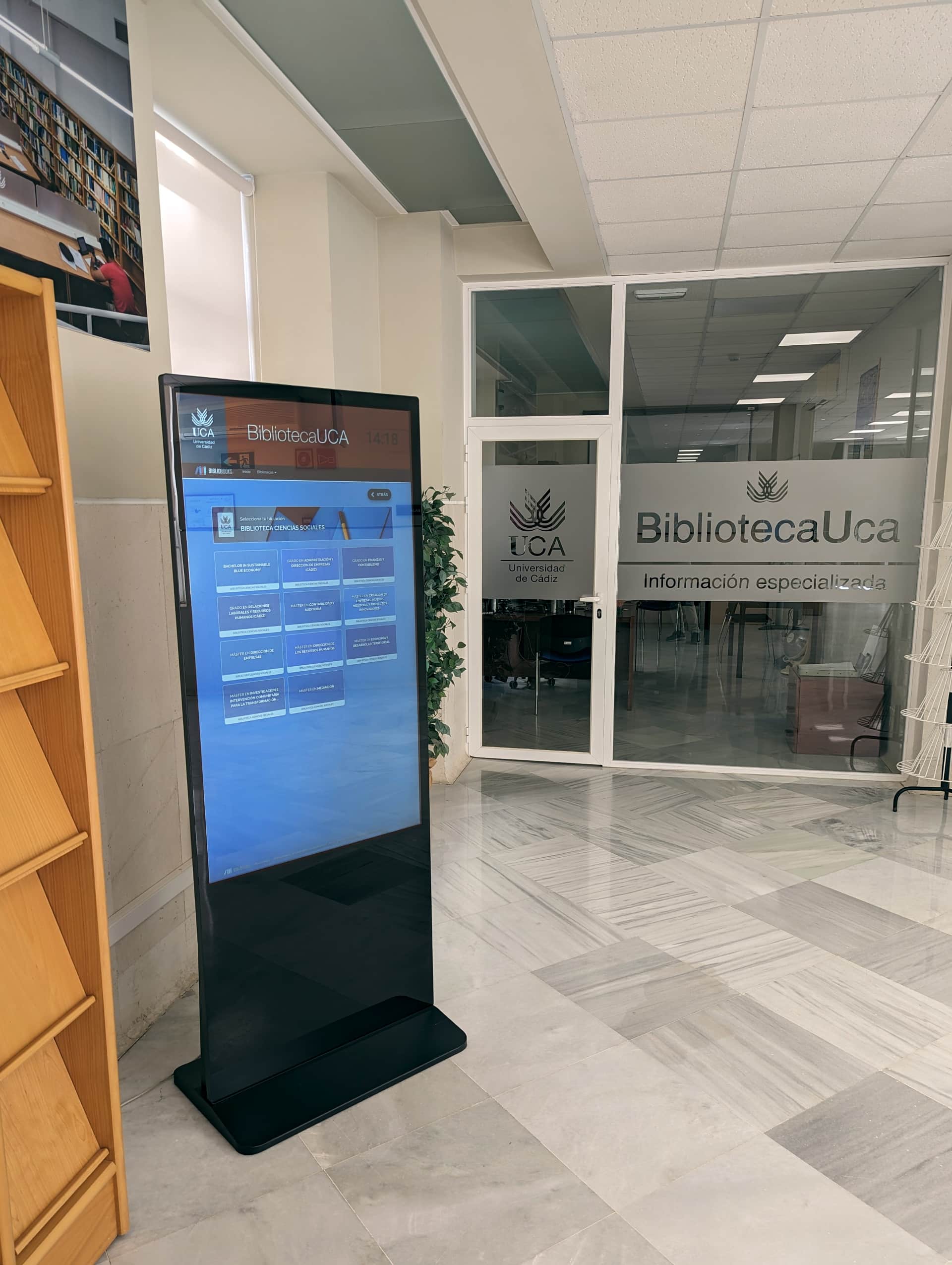
Totem mode
Designed for large vertical touch digital signage in entrance halls and high‑traffic areas. Large-format visual impact.
Each of these modes features an ad hoc interface developed for each type of device.
Discovery
Bibliobooks™ works like an interactive poster. Through a visual interface based on tiles and virtual bookshelves, it encourages exploration without complex searches.
Integration
Uses the API of the library management system (e.g., Koha ILS or Primo by Ex Libris) as a data source. Increases visibility of library work without adding workload.
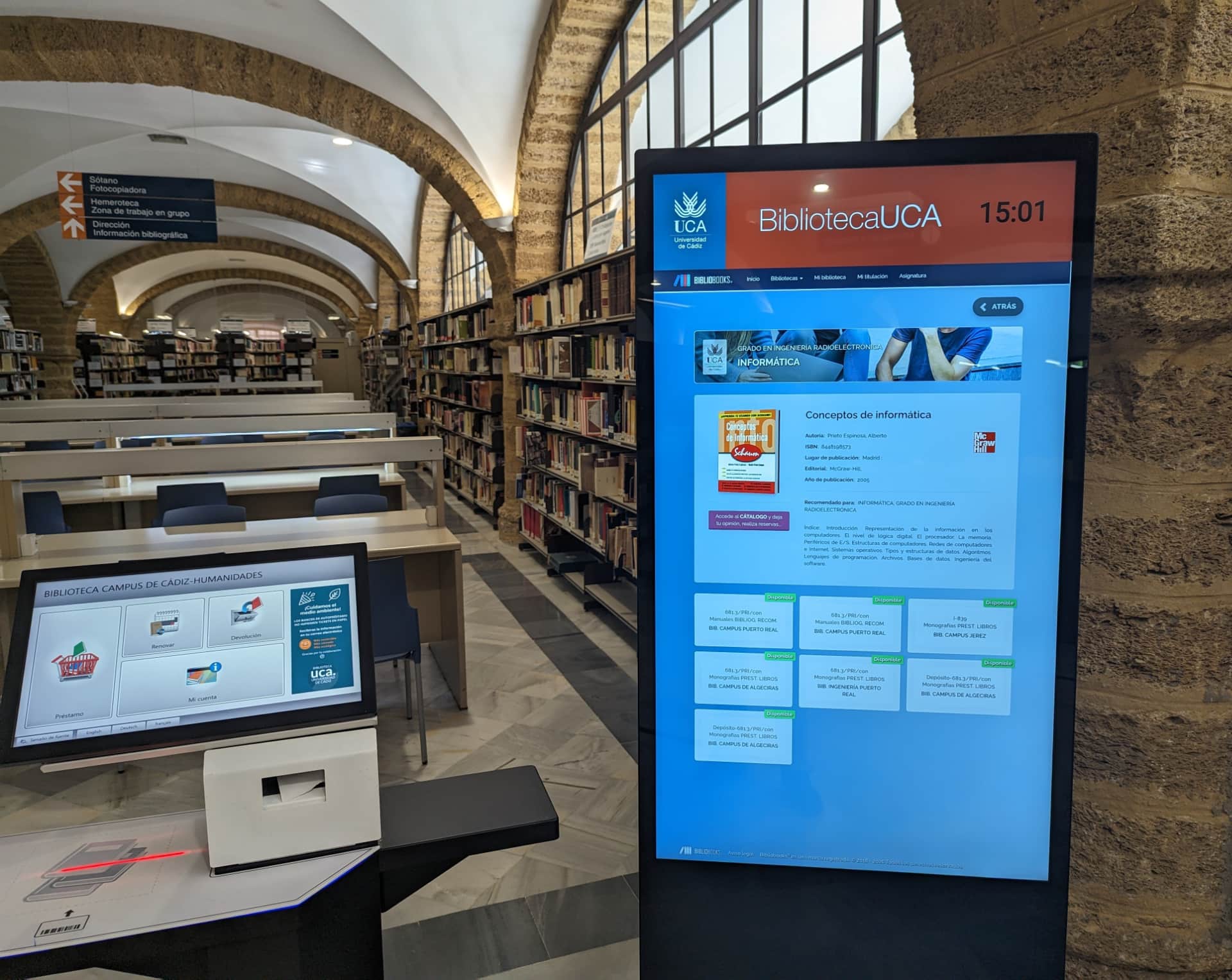
Collections and reading lists
Highlights any book collection retrievable from the ILS: curated collections, new catalog arrivals or course reading lists.
Geolocation
Optionally integrates item geolocation from Bibliomaps. Users can discover books and locate them on the map with a single click. Check an example here.
Success story
Implemented at the University of Cádiz
Course Reading Lists are the heart of university libraries.
Thanks to Bibliobooks™: Course Reading Lists, students at the University of Cádiz Library have a fast and intuitive way to access books recommended by their professors.

Check a real example
Marine Science Degree, Puerto Real Campus Library. UCA.
Unique user sessions.
+0
Consultations
Courses with recommended reading lists.
+0
Courses covered
+18,000 different titles explored.
+0
Books discovered
18,568 of 18,817 books geolocated.
0%
Location accuracy
Admin dashboard
Measure usage and impact
Measure usage and impact
Real-time tracking.
Bibliobooks™ can be integrated into the library’s management workflow and decision-making. The dashboard allows to monitor the performance of collections in real time.
-
Real-time tracking
Check which books, collections, courses or degrees are being consulted.
-
Reports and downloads
Filter by library or by date, generate usage charts and download detailed reports.
-
Most consulted
Find out which books are most consulted, or compare performance across dates, libraries or collections.

Growth
+18%
In the press
CanalSur Noticias
Buenos días 19-12-2018 (Regional TV)
CanalSur Noticias Cádiz
Cádiz 2 18-12-2018 (Provincial TV)
Onda Cádiz
18-12-2018 (Provincial TV)
Diario de Cádiz
A system to search books at UCA (Digital press)
Diario de Cádiz
The map of books (Print press, provincial)
Aula Magna
Bibliobooksand Bibliomaps, two new applications for libraries (Digital press)
Actualidad Universitaria
UCA has two new applications to facilitate access to its library (Digital press)
OCádiz Digital
UCA has two new applications to facilitate access to its library 17-12-2018 (Prensa digital)

About the author


Frequently asked questions
The most common questions about implementing and running Bibliobooks™.
Is it compatible with our Integrated Library System (ILS)?
Bibliobooks™ is designed to seemlessly integrate with the API of the main systems:
- When using Koha ILS, it can display any type of record in the catalog (reading lists, course reserves module, new arrivals, collections, etc.).
- It is also compatible with Primo or Alma/Primo (Ex Libris) installations and their REST API discovery options.
If you use any another system, contact us and we will analyze interoperability options with our software, with no commitment or cost.
Do we need to re‑catalog or upload book covers?
No.
The main purpose of Bibliobooks™ is to give visibility to the work done by library staff.
The system takes information directly from the catalog, so it is not necessary to duplicate information and it does not add extra workload.
Do I need to buy specific equipment or screens?
It’s optional.
For kiosk or totem mode, you can use any touch screen with a modern browser and Internet connection, so if you already have hardware, we can likely reuse it. You can also purchase new screens with us along with Bibliobooks™.
The new web mode is accessible from anywhere and any desktop, tablet or mobile device, so no additional equipment is required.
How long does it take to get it running?
Implementation is agile.
Once compatibility with your management system is validated, a customized Bibliobooks™ setup with specific collections can be ready within 2 (TWO) months. The physical installation of kiosks or totems will depend on hardware availability.
You can alsorequest a free demo with your organization’s data.
Is it possible to add item geolocation?
Yes.
If you already use Bibliomaps, Bibliobooks™ can integrate geolocation seemlessly into the application. In addition, these queries are integrated within the statistics flow of the existing admin dashboard.
Can we customize it with our institution’s branding?
Yes.
Bibliobooks™ can include logos, images and the selection of featured collections so the experience is consistent with the institution’s identity. If you have any other need, please feel free to contact us.
Contact
We offer a personalized demo of Bibliobooks™ with your organization’s real data, free and with no commitment.
If you are interested in a quote or simply need more information, please get in touch.
Is your library management system not on the list? We will explore interoperability options with your current software, with no commitment.
Contact information
Contact person
Fran Caballero
Phone
Show contact
